
Video Editor & Maker VideoShow
VIDEOSHOW Video Editor & Maker & AI Chat GeneratorVideo Players & Editors
4.599.63K Reviews
- Version
- 11.0.6.0
- Installs
- 100.00M
- Age Rating
- Teen
Screenshots
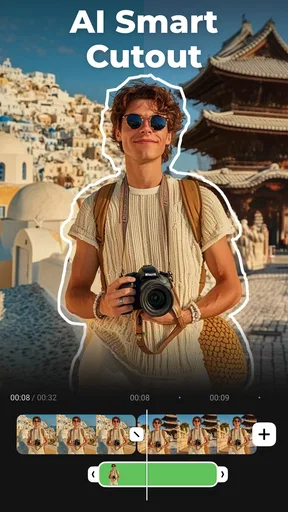
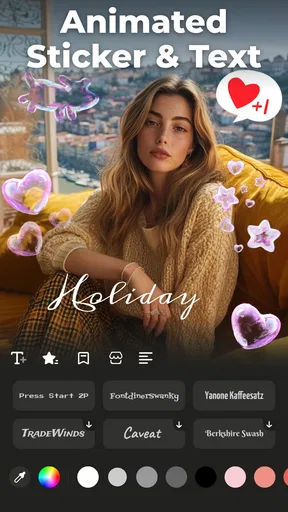

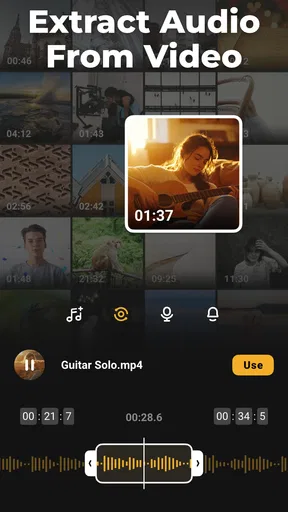
Our Review of Video Editor & Maker VideoShow
 Analysis by Appyee
I’d judge a mobile video editor less by how many buttons it puts on screen and more by how quickly it helps me turn a handful of clips into something I’m happy to share. That’s the decision VideoShow is built around: a phone-first editing experience with AI-led help for people who want momentum, but still want a say in the result. The key question is whether you want a quick creative starting point or precise control over every cut.
Choose by the kind of editing you actually do
If most of your videos are short clips for friends, social posts, travel recaps, or casual creator work, a mobile editor can be a sensible choice. I value being able to make a rough cut where the footage already lives, rather than moving every clip to a computer before I know whether the idea works. VideoShow is aimed at that kind of practical, on-the-go editing, rather than making a phone feel like a full desktop production suite.
There are two useful questions to ask before installing any editor: do I want it to suggest a starting point, and will I want to revise that result myself? VideoShow’s pitch sits between automatic assistance and hands-on adjustments. That balance matters because automatic editing can save time, but it can also make choices that don’t match the story you want to tell. I’d treat the AI as a helper, not as the final editor.
Who is likely to enjoy this approach?
I’d consider it if I regularly make quick personal videos and don’t want to learn a complicated workflow before I can start. It may also suit someone who has plenty of phone footage but tends to leave it unedited because sorting clips feels like too much work. A tool that helps move from raw material to a first draft can be valuable even when I still make the final decisions by hand.
It is less compelling for someone who needs a carefully repeatable production process, detailed timeline work, or dependable control over every visual and audio adjustment. In that case, a more specialist editor—or a desktop workflow—may be a better fit. The right choice depends on whether convenience is your priority or whether you need granular control often enough to justify a more involved tool.
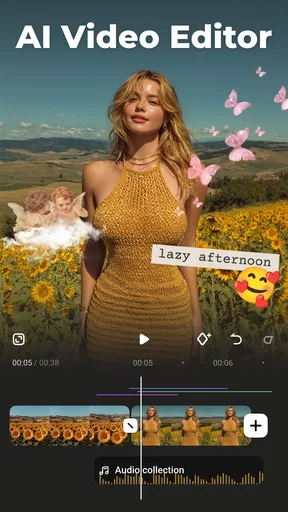
Hey there, fellow video editing aficionados! Today, I'm diving into the world of AI-powered creativity with the AI Video Editor - VideoShow AI. If you've ever felt overwhelmed by the complexities of video editing or just wanted a tool that could make your life easier, this app might just be what you're looking for.
The User-Friendly Interface
First things first, let’s talk about the interface. As soon as you open the app, it feels like you're greeted with a warm hug. The layout is clean and intuitive, making it super easy to navigate. Whether you're a newbie or a seasoned editor, finding your way around is a breeze. The tools are neatly organized, and everything is just a tap away. I mean, who doesn't love an app that doesn’t require a tutorial to get started?
AI-Powered Editing at Its Best
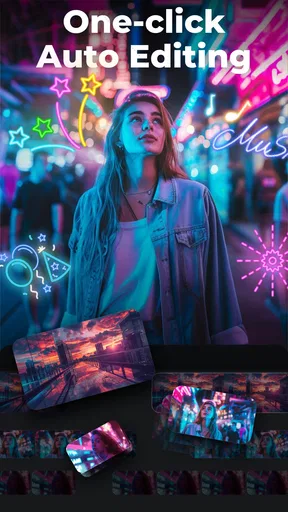
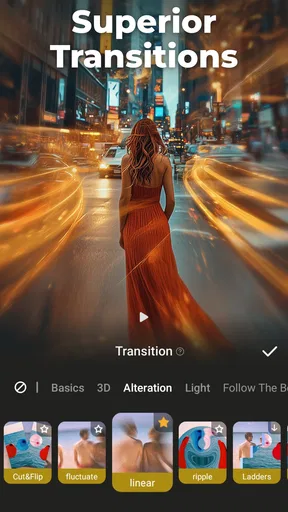
Now, onto the real magic—the AI capabilities. The app promises to take the grunt work out of video editing, and honestly, it delivers. You can throw in your raw footage, and the AI gets to work like a pro editor on caffeine. It automatically suggests edits, from trimming to transitions, and even applies filters that match the mood of your content. It’s like having a pocket Spielberg!
What’s really cool is the way it handles music. The AI can analyze your video and suggest background tracks that fit perfectly. No more spending hours searching for the right tune; this app has got you covered.
Customization and Control
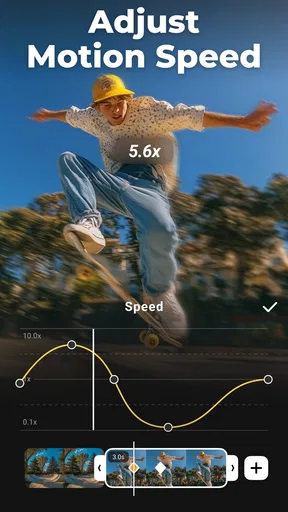
While the AI does a fantastic job, you're not just a passive observer. You have full control over the edits. Want to tweak the brightness or add a slow-mo effect? Easy peasy. The app provides all the manual adjustment tools you’d expect from a top-tier editor. It’s like having the best of both worlds—AI efficiency with human creativity.
Sharing Made Simple
Once your masterpiece is ready, sharing it is a cinch. The app supports direct uploads to social media platforms like Instagram, TikTok, and YouTube. It even optimizes the video format for each platform, so you don’t have to worry about weird crops or low-res uploads. Just hit share, and let the world admire your work!
Final Thoughts
All in all, the AI Video Editor - VideoShow AI is a game-changer for anyone looking to streamline their video editing process. It combines the power of AI with user-friendly features, making it perfect for content creators of all levels. Whether you're editing a vlog, a short film, or just a fun clip for Instagram, this app has got your back.
So, if you're tired of spending hours on edits or just want to enhance your creative process, give this app a whirl. It's like having a personal assistant who’s there to make your videos shine. Happy editing!
A realistic workflow, from camera roll to finished clip
Picture a familiar situation: I’ve taken a few short clips at a family gathering, and I want to send a tidy recap before the moment is old news. I’d start by choosing footage with a clear beginning and ending, then let the app’s editing suggestions provide a rough structure. That first pass is useful for getting unstuck, but I’d still watch the whole result before sharing. A suggested cut can remove a pause that feels unnecessary to the editor but gives a person’s reaction its meaning.
For a more deliberate result, I’d make one decision at a time: keep the strongest clips, adjust the pacing, then consider music and visual effects. This order helps avoid polishing footage that I later remove. It also makes it easier to notice whether the music is supporting the mood or distracting from what people are saying. If the clip depends on spoken audio, I’d listen with the music included rather than assuming a suggested track will sit well underneath it.
Small choices that make AI suggestions more useful
A practical tip is to be selective about the source footage before asking for help. A camera roll may contain near-duplicates, accidental recordings, and clips that only make sense to the person who took them. Removing the obvious extras first gives any automated edit a better chance of reflecting the story I want. AI can speed up selection and assembly, but it cannot know which brief glance or imperfect moment matters to my family or audience.
I’d also treat filters and transitions as accents rather than defaults to apply everywhere. When several clips already have different lighting or color, a strong filter can make the finished video feel less consistent, not more. I prefer to check a representative section after making an adjustment, then decide whether it suits the entire sequence. The same restraint applies to slow motion: it can highlight one moment, but using it without a clear reason may make a short recap drag.
Auto captions are useful when viewers may watch without sound, and they can make a spoken clip easier to follow. I would still review the wording and timing before publishing, especially with names, noisy surroundings, or people speaking over one another. Captions are an aid, not a substitute for checking what the video actually says. That quick review is particularly worthwhile when the clip is public or represents a business.
How it fits beside other mobile editors
Compared with a basic trimming tool, VideoShow is appealing when I want more than a beginning-and-ending cut: music, effects, captions, and AI assistance can all contribute to a more finished short video. Compared with a timeline-focused editor, the trade-off is emphasis. A simpler, guided flow can lower the effort of starting, while a specialist tool may feel better when I need to line up many layers, make precise edits, or repeat the same detailed treatment across a series.
There is also a difference between an all-purpose editor and a dedicated social publishing tool. If my main goal is to assemble a clip quickly and share it, VideoShow’s combination of editing and sharing is convenient. If I care most about a particular platform’s changing trends or want a workflow centered on that platform, its own editing tools may be more direct. I wouldn’t switch solely because an app advertises AI; I’d compare the steps I actually use and keep the tool that makes those steps easier.
What to expect from the app and its costs
VideoShow is a free video editing app from VIDEOSHOW Video Editor & Maker & AI Chat Generator, with optional in-app purchases ranging from under a dollar to higher-priced items. I’d install it and try the basic workflow before paying for anything. If a purchase is presented during editing, I’d pause to check what it unlocks and whether it addresses a real need in my projects, rather than assuming every extra is essential.
The app is rated Teen, and it runs on Android starting with version 6.0. Its current version is 11.0.3.0. It has been available since August 31, 2013, and its scale is substantial: more than 100 million installs, a 4.5 average from around 6 million ratings, and roughly 100,000 written reviews. Those figures suggest a well-established app, but they don’t tell me whether its editing style suits my own work; a short hands-on test is still the best way to decide.
Switching editors has a small but real cost even when the app is free. I may need to learn where familiar controls are, rebuild a workflow, and check whether a project can be continued in another editor if I change my mind. I’d keep original clips in my camera roll until I’m sure the final export is safe, and I wouldn’t treat an edited copy as the only version of important footage. That habit makes experimenting less stressful and keeps future editing options open.
When I’d choose something else
I wouldn’t make this my first pick for a project that depends on exact shot timing, complex audio work, or a long sequence with many carefully coordinated elements. A desktop editor or a mobile app designed around detailed timeline control may be more comfortable there. Likewise, if I only need to trim a clip once, using a simple built-in editor can be faster than learning another app. VideoShow makes the most sense when its creative options and assisted workflow are useful often enough to earn a place on my phone.
For regular creators, I’d test one typical project rather than judging the app from a single novelty effect. Try a clip with speech, a short montage, and a video intended for sharing; notice where suggestions save time and where you keep making corrections. That reveals whether the app is genuinely reducing effort or simply moving it to a different part of the process. The answer can vary: someone making informal recaps may appreciate the shortcuts, while a creator with strict visual consistency may prefer a more manual editor.
My recommendation
I’d recommend VideoShow to people who want a welcoming mobile editor, like having AI help them get started, and are comfortable checking the result themselves. Its strongest case is turning everyday footage into a shareable video without demanding a specialist mindset. I’d be more cautious if precision, repeatable professional output, or a tightly controlled timeline is central to your work.
For me, the sensible approach is to start with a small, low-stakes edit, review every cut and caption, and decide whether the balance of automation and control feels right. If it does, the app can be a handy creative companion; if it doesn’t, a simpler trimmer or a more advanced editor may suit you better. The best choice is the one that helps you finish the videos you actually make, without making the process feel like another project.
Verdict
Strengths of Video Editor & Maker VideoShow
- User-friendly interface with intuitive controls.
- Wide range of AI-powered editing tools.
- Supports high-resolution video exports.
- Frequent updates with new features.
- Minimal ads for a smoother experience.
Limitations of Video Editor & Maker VideoShow
- Limited free version features.
- Occasional crashes on older devices.
- Requires internet for some features.
- Subscription can be pricey for some.
- Export times can be lengthy for 4K videos.
Other Releases by VIDEOSHOW Video Editor & Maker & AI Chat Generator
View All
Screen Recorder Video Recorder
Video Players & Editors4.4

Video Maker Music Video Editor
Video Players & Editors4.4
Similar Picks in This Category
View All
Google TV
Google LLC3.9

iTunes
Apple4.7

YouTube
Google LLC3.8

MX Player
Amazon Mobile LLC4.2

CapCut - Video Editor
Bytedance Pte. Ltd.3.5

PLAYit-All in One Video Player
PLAYIT TECHNOLOGY PTE. LTD.4.5
Frequently Asked Questions
What platforms is AI Video Editor - VideoShow AI available on?
AI Video Editor - VideoShow AI is available for both Android and iOS platforms. Users can download the app from the Google Play Store for Android devices and the Apple App Store for iOS devices. It is essential to ensure your device meets the app's system requirements for optimal performance.
Does AI Video Editor - VideoShow AI offer any free features?
Yes, AI Video Editor - VideoShow AI provides a range of free features that allow users to perform basic video editing tasks. However, some advanced features and effects may require a subscription or one-time purchase. The free version is excellent for trying out the app's capabilities before committing to a premium plan.
What are the main features of AI Video Editor - VideoShow AI?
AI Video Editor - VideoShow AI offers various features, including AI-powered editing tools, customizable templates, special effects, transitions, and music libraries. Users can also access advanced tools for trimming, cropping, and merging videos, making it a versatile app for creators of all skill levels.
Is AI Video Editor - VideoShow AI suitable for professional use?
AI Video Editor - VideoShow AI is designed to cater to both amateur and professional users. While it offers user-friendly tools for beginners, it also includes advanced features that professionals will appreciate. However, for high-end production needs, additional software might be necessary.
Are there any privacy concerns with using AI Video Editor - VideoShow AI?
AI Video Editor - VideoShow AI values user privacy and complies with standard data protection regulations. It’s crucial to review the app's privacy policy to understand how your data is used and what permissions are required. Users should ensure that they are comfortable with these terms before using the app.
